Getting Started
Complete these steps before the first class (September 29). If you did Quant Camp, you already have everything installed; just make sure it’s up to date. If you get stuck, email the TA, Max Welch (mwelch@ucdavis.edu), and tell him which step you are on.
Step 1: R and RStudio
You need two separate programs: R (the programming language) and RStudio (the app you write R in). Install the latest version of each:
If you have never done this before, these videos walk through it step by step: Mac users, Windows users.
Update your operating system first (guide), then install the latest version of each program. The videos may show older versions; the latest one is at the top of each download page.
Step 2: The packages we use
Open RStudio, paste the following into the Console (the panel on the bottom left; see the screenshot below), and hit enter. This installs the packages we use all quarter:
- the
tidyverse, for working with data and making plots here, for finding files inside your project- my juanr data package
qss, the data from Imai’s Quantitative Social Science, one of our readings
install.packages(c("tidyverse", "here", "remotes"))
remotes::install_github("hail2thief/juanr")
remotes::install_github("kosukeimai/qss-package")
The last line installs a few dozen supporting packages, so it can take several minutes. If R asks whether to update other packages, type 3 (“None”) and hit enter.
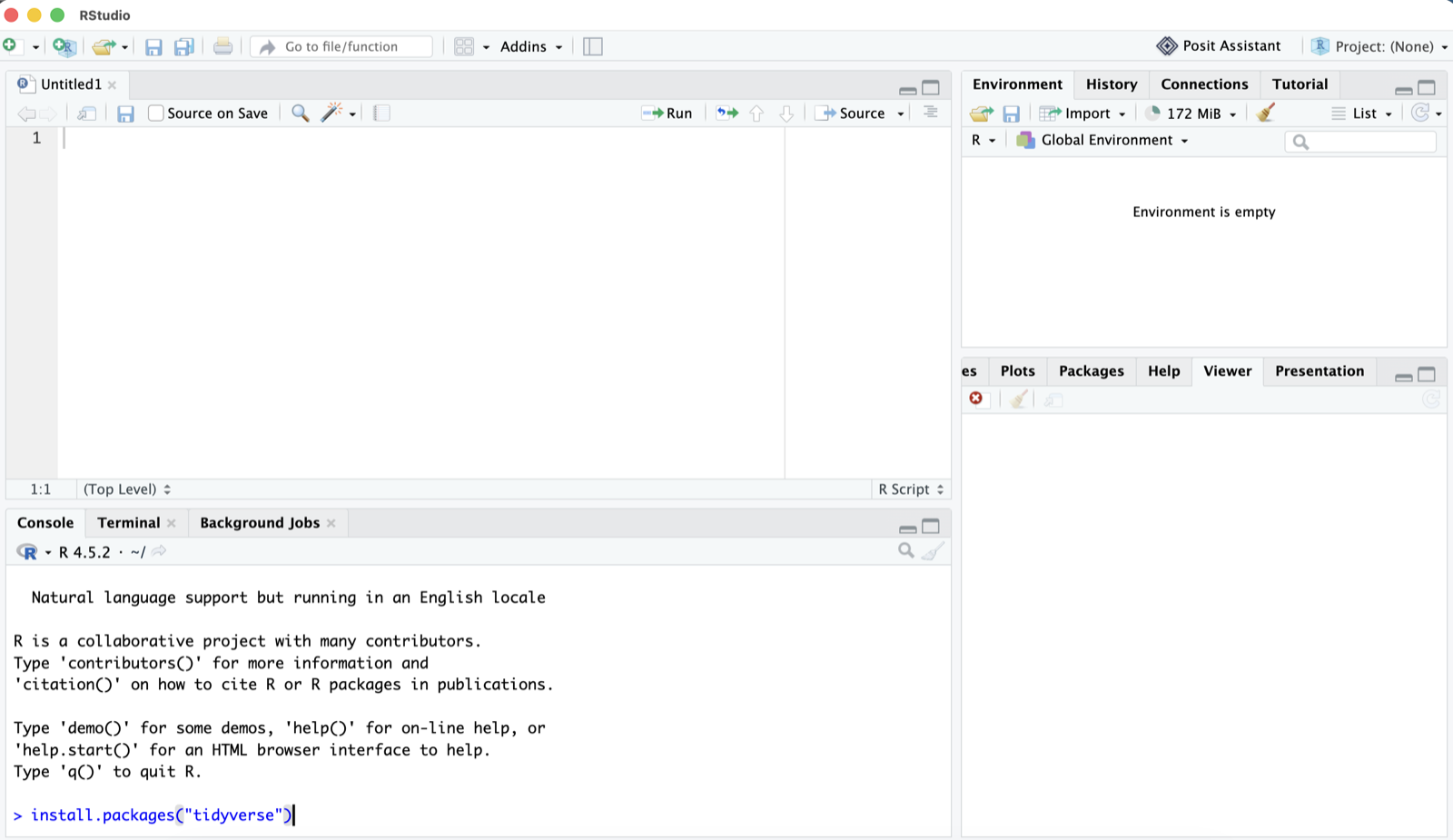
> and hit enter.To check that it worked, run these lines. They should finish without any red error text:
library(tidyverse)
library(here)
library(juanr)
library(qss)